
There are three ways to pay your membership fee.
Paying by PayPal or credit card is the fastest and most efficient option. Payments are processed automatically, and a receipt will be emailed to you within minutes. Once payment is confirmed, the purchase option is automatically removed from your account — so there’s no risk of accidentally paying twice.

Credit Card
- Log in to the website and click the “Purchase” membership button.
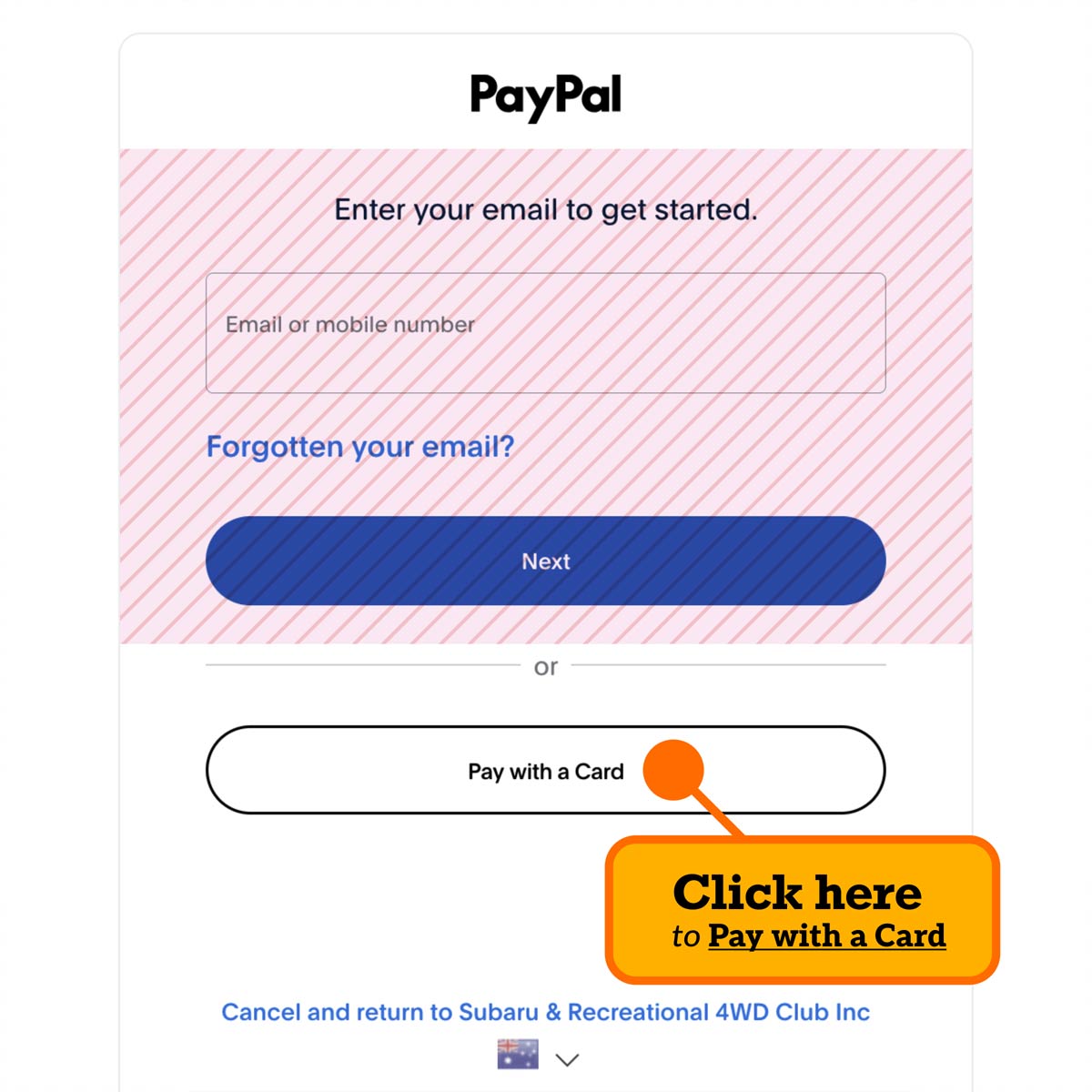
- On the following page, click “Pay with a Card” instead of logging in to PayPal.

PayPal
- Log in to the website and click the “Purchase” membership button.
- On the following page, select the PayPal option and enter your login details to complete payment.

Bank Transfer
You can also pay via direct bank transfer using the details below. Please note that bank transfers require manual processing, so your receipt will only be sent once the payment appears in our account — this may take a few business days.
ANZ Bank Account Details:
Name: Subaru & Recreational 4WD Club
BSB: 012514
Account Number: 315253707
How to pay via Credit Card
(using PayPal’s Credit Card processor)
- Log in to the website and click the “Purchase” membership button.
- On the following page, click “Pay with a Card” instead of logging in to PayPal.
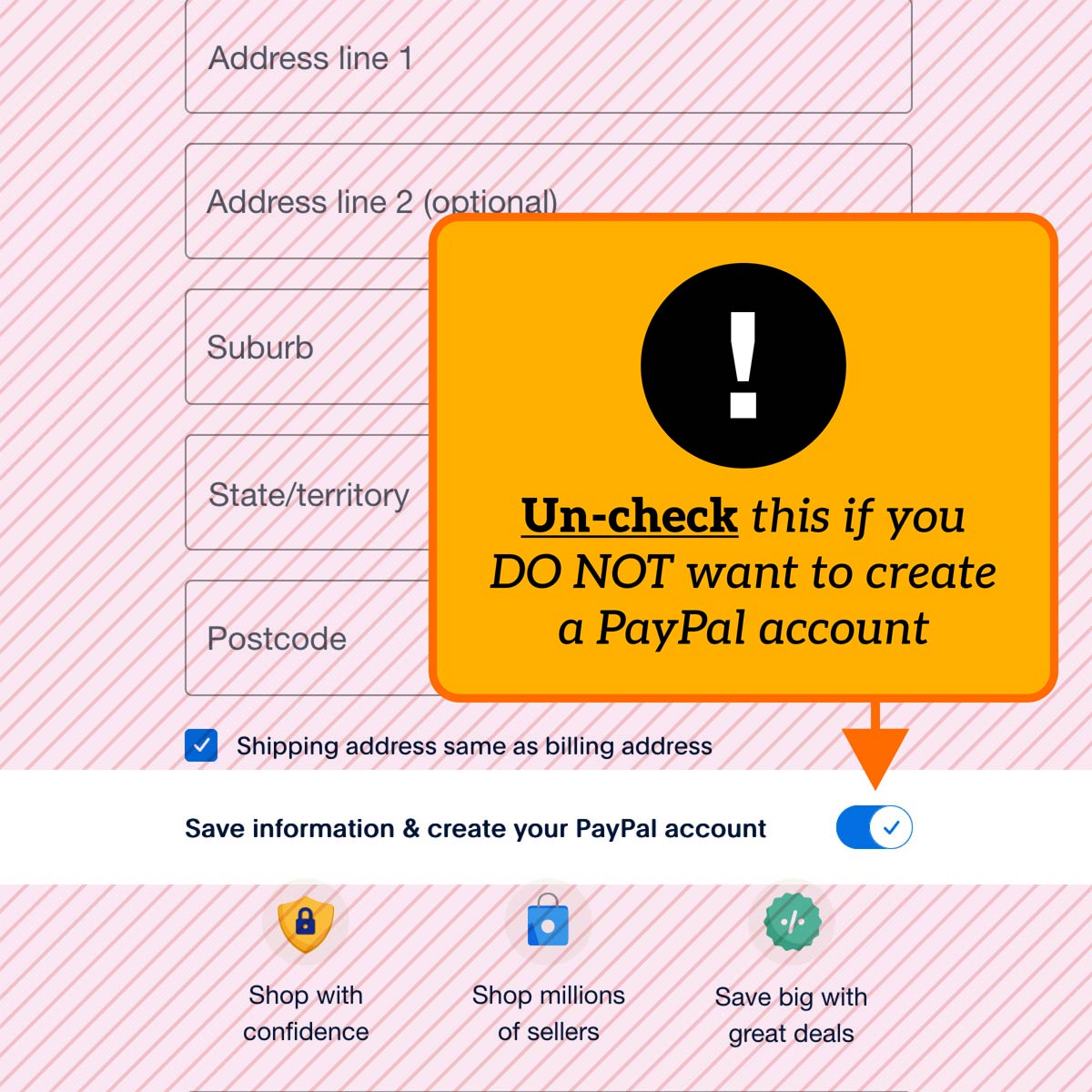
- Note: (By default) PayPal will prompt you to create a PayPal account. To disable this, toggle the switch below the Billing Address fields to the left. This will turn off automatic account creation.
Connect


A member of
